The builder compiles, the storefront just runs it
How I built a no-code Deal of the Day builder: React state compiled into one self-contained script, previewed live in an iframe, with zero schema change.
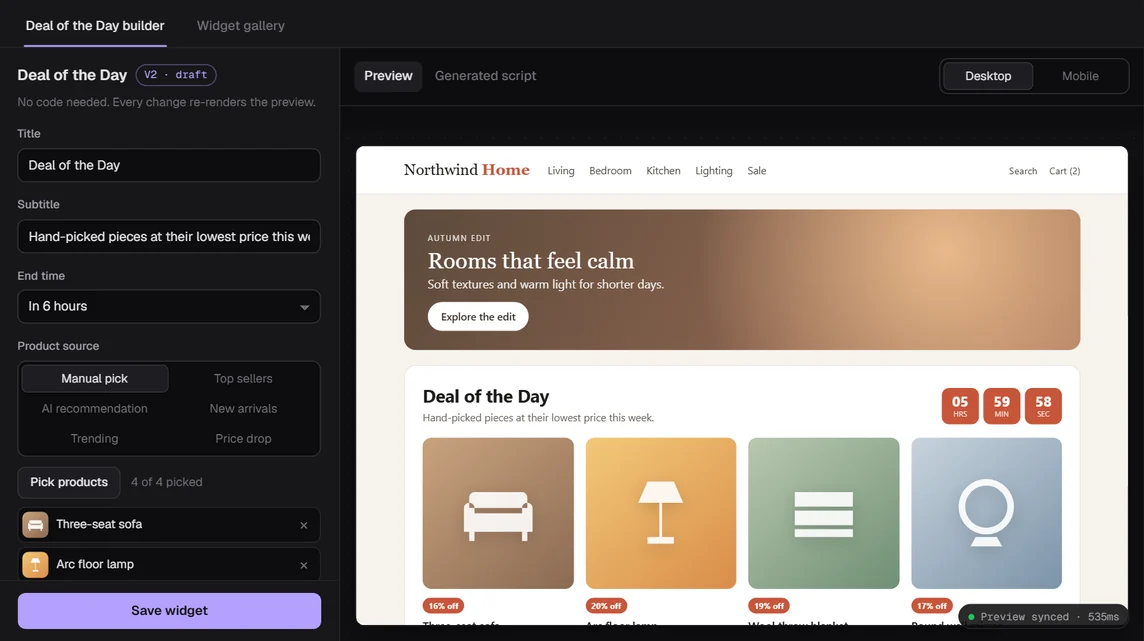
The ask was simple: a marketer should be able to change the products, the title and the colors of a Deal of the Day widget without writing a line of code.
The widget itself is a script on a storefront. So in January 2025 I started Deal of the Day V2 inside the Revotas panel: a React builder where you pick up to 4 products, set titles, colors and a button, and see the result before you save.
What I had to work around
The storefronts are the first constraint. A brand pastes one script tag into its site and that's it. They have no build step and no bundler, and I can't assume anything about their theme beyond "it has a <body>".
The panel is the second. It's a large shared React codebase with about two dozen names in its git history and a row of other smart widgets (countdown, spin wheel, social proof, sticky bars, upsell, exit intent) living next to each other. Version 1 of Deal of the Day was still live and could not break.
And I gave myself three rules up front:
- no new backend endpoint,
- no database change,
- reuse the existing script widget save flow.
That last rule turned out to shape everything.
Decision 1: compile settings into a script
The obvious design is a generic runtime. You ship one loader to every storefront, save the settings as JSON, and the loader fetches and interprets them on page load.
I didn't have a place to put that JSON. The existing save flow stores one thing per script widget: a text field called scriptCode. Adding a settings column meant a schema change, and a loader that reads settings meant a new endpoint.
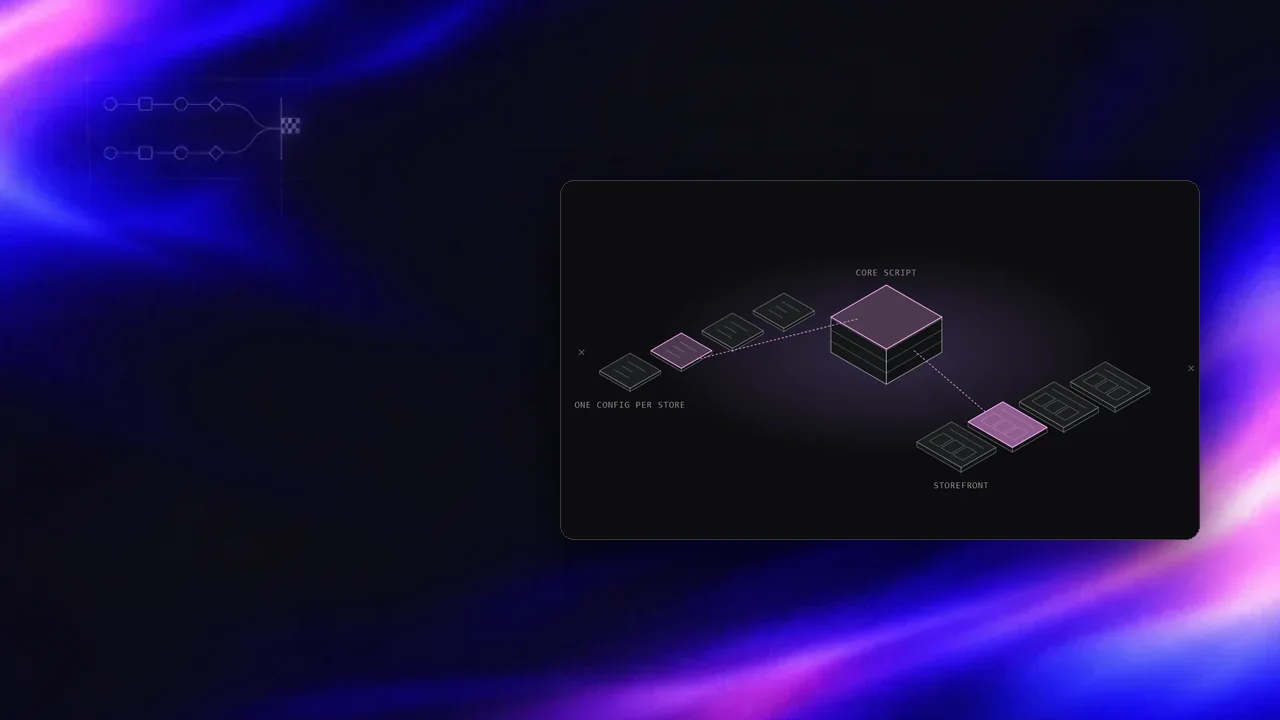
So the builder compiles. When the React state changes, a small builder function (about 160 lines) does three things:
- maps the panel state to a runtime config (deals, products, sources, theme, texts),
- serializes that config as JSON,
- glues it in front of the vanilla widget function and calls it.
The output looks roughly like this:
/*__REVOTAS_DOTD_V2_CONFIG_START__*/
window.__REVOTAS_DOTD_V2_CONFIG__ = {"containerTitle":"Deal Products", ...};
/*__REVOTAS_DOTD_V2_CONFIG_END__*/
(function dealOfTheDayNewDesign(config) { /* ~1,800 lines of vanilla JS */ })(window.__REVOTAS_DOTD_V2_CONFIG__);
That whole string is the scriptCode. The storefront runs one self-contained script with its config baked in. There's no second request to fetch settings, and nothing new on the server.
The comment markers matter. When a marketer reopens a saved widget, the panel finds the text between them, parses the JSON and rebuilds the builder state from it. If someone hand-edited the script and the markers are gone, the builder falls back to a raw script editor so nothing gets silently overwritten.
Decision 2: preview the real code
My first preview idea was a React mock of the widget next to the form. It would have drifted from the real thing within a week. Two renderers means two sets of layout bugs.
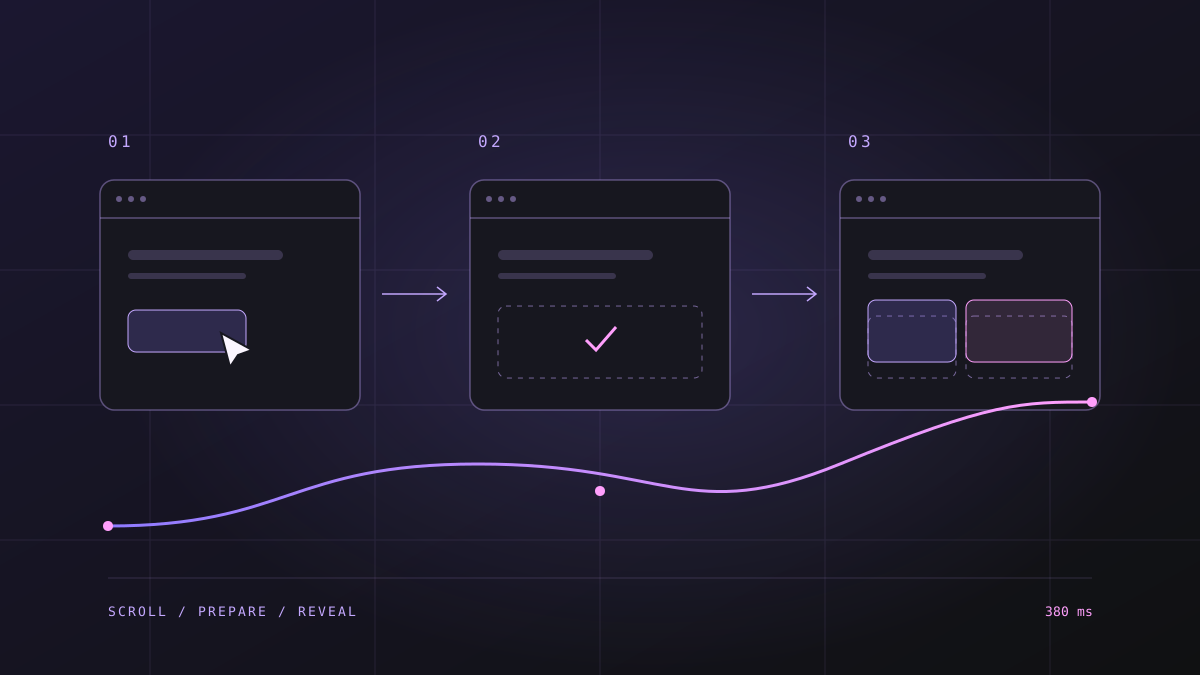
So the preview runs the exact compiled script. It's an iframe with a static srcDoc that sets a preview flag and listens for one message type. Every time the generated script changes, the panel posts it in:
iframe.contentWindow.postMessage({ type: 'REVOTAS_DOTD_V2_SCRIPT', script, isMobile }, '*');The iframe evaluates it. The iframe never reloads, so the widget stays open while you type into the title field, which is what a marketer expects.
This broke in a way I should have seen coming. The vanilla script was written to run once per page load. In the preview it runs on every keystroke. The launcher bound its click with addEventListener, so after a few edits one click fired several handlers and the panel opened and closed in the same click. The fix was boring: bind with onclick so a re-run replaces the handler, guard the global listeners with a version flag, and reuse existing DOM nodes. Running the same code in the preview is what found that bug, before any storefront could.
The 1, 2, 3 and 4 product layouts live in the vanilla script too, so what the preview shows is what the storefront gets.
Decision 3: serialize defensively
The config is JSON inside a JavaScript file inside a text column. Each layer has its own way of breaking a string.
Turkish titles came back garbled after a save and reopen: classic mojibake, UTF-8 bytes read back as Windows-1252. I didn't control every layer between the panel and storage, so I fixed it on both ends:
- the serializer escapes
<and every non-ASCII character as\uXXXX, so the stored script is pure ASCII and a stray</script>in a title can't close the tag, - on reopen, a repair function walks each token, maps CP1252 characters back to bytes and decodes them again, up to 3 passes.
The builder tests cover the round trip: build a script, parse it back, compare the state.
Decision 4: let the storefront fetch, with fallbacks
Manual mode is simple. The products are in the config.
Automatic mode picks a source (AI recommendation, top sellers, new arrivals, trending, price drop) and the script asks the existing recommendation service at runtime. If the first source comes back empty, it tries the next in a fallback order the marketer can see in the builder. No new endpoint, again: the widget calls what the platform already had.
One small surprise: the product list response comes back with a text/html header but a JSON body. So the parser tries JSON first and falls back to XML.
Decision 5: touch shared code as little as possible
V2 lives in its own folder. Outside it I changed what I had to: the widget lists, the content tab binding, the save path in the top bar, the preview area, and one prop on the shared dialog so the product picker could have its own class.
Those files are shared with the other widgets, so each change was the smallest one that worked, and V1 stayed untouched. The test servers had a rule of their own: no npm commands on the target machine. So I synced only the files I touched, backed up the remote copies first and compared SHA-256 hashes after every copy.
What I'd do differently
Baking the runtime into each saved script has a cost I underestimated. Every widget carries its own copy of the code. When I fix a runtime bug, existing widgets keep the old copy until someone saves them again.
That bit me in August 2026. The widget's view and click events weren't reaching our activity tracking, because the script expected a popup id the storefront runtime never set. No click event meant no attribution cookie, so the widget reported no revenue. I fixed it by embedding the widget's own id in the config at save time. But every existing widget needed one re-save to pick it up.
Next time I'd split it: keep the compiled config per widget, and load the runtime from one versioned file. I'd still compile the settings. I'd stop copying 1,800 lines into every row.
I'd also write the preview contract first (what happens when the script runs twice) instead of discovering it one stacked listener at a time.
Where it ended up
Marketers build the widget, see the real thing while they edit, and save it through the same flow every other script widget uses. The database never noticed.
The rest of the smart widget work is on the Revotas page. Try the interactive demo.
Notes on this post
Join in
Loading…
Leave a comment.
Sign in to add your note to this post.
Only your name and avatar are used.