Recommendations in the store's own design
Brands said our recommendation widget didn't look like their site. So the engine copies their product card and fills it with ours.
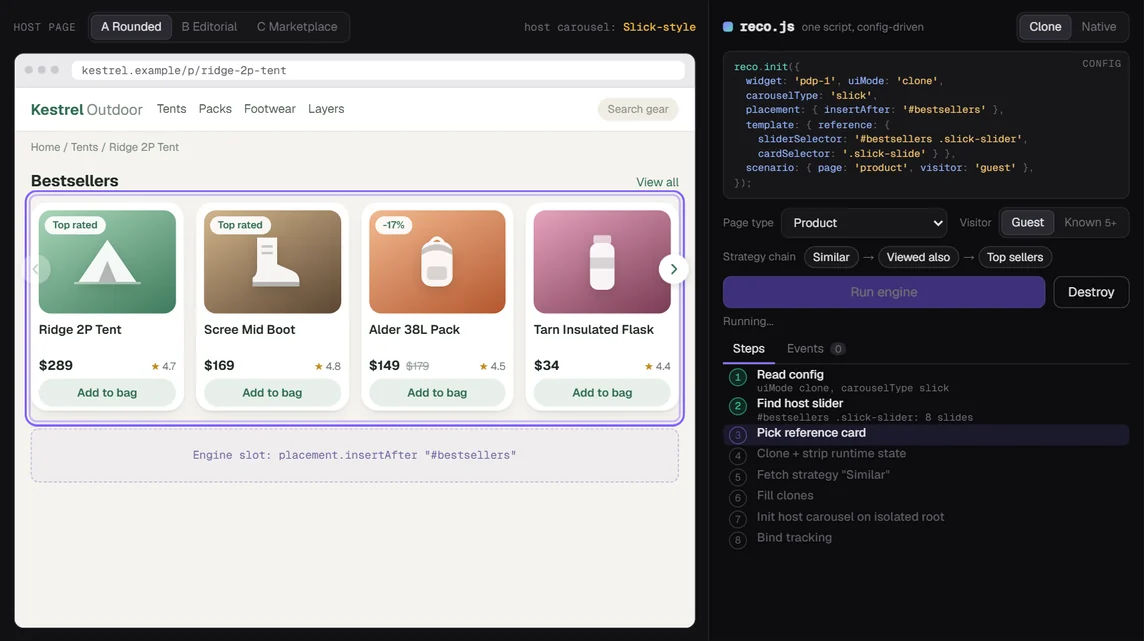
The complaint was always some version of the same sentence: "it doesn't look like our site."
Our first recommendation script (V1) built its own HTML strings and shipped its own slider. The products were right. The card around them was ours. Different font weight, different price layout, different arrows. On a store that had spent months on its product grid, our block looked like an ad someone had pasted in.
So between December 2025 and July 2026 I rebuilt the rendering side from scratch. It became about 12k lines of plain JavaScript over 60 commits, all mine. The central idea fits in one line: copy the store's own card.
One thing up front, because it matters for what follows. The strategies and models (who sees "similar products", what "trending" means, how anything is ranked) all live in the backend. I didn't write them. My part was everything between "the API returned 10 products" and "a shopper clicked one": where the widget goes, what it looks like, which strategy to ask for on which page, and how the click gets credited.
What made it hard
Every store is somebody else's code. I couldn't ship a build step to them, couldn't touch their templates, and couldn't assume anything about their markup except that it would change without warning.
Three rules came out of that early and never moved:
- Inject one isolated root and only touch DOM inside it.
- Never re-init, destroy or even touch the host's own sliders.
- Everything the widget adds (nodes, styles, listeners) has to come back out on
destroy().
And the people installing it on a new brand were mostly not engineers. That shaped the last third of the project more than any technical constraint.
Decision 1: clone a card, then strip the runtime out of it
The engine reads a reference slider that already exists on the page (say, the store's own "new arrivals" row), takes one product card from it, and uses that as the template. Then it fills copies of that card with our products.
My first attempt cloned too much. A live carousel is full of runtime state: track widths, transforms, cloned "infinite loop" slides, active and current classes, index attributes. Copy that and you get a card stuck at the width the old track gave it, or a slide that still thinks it belongs to a carousel that isn't there.
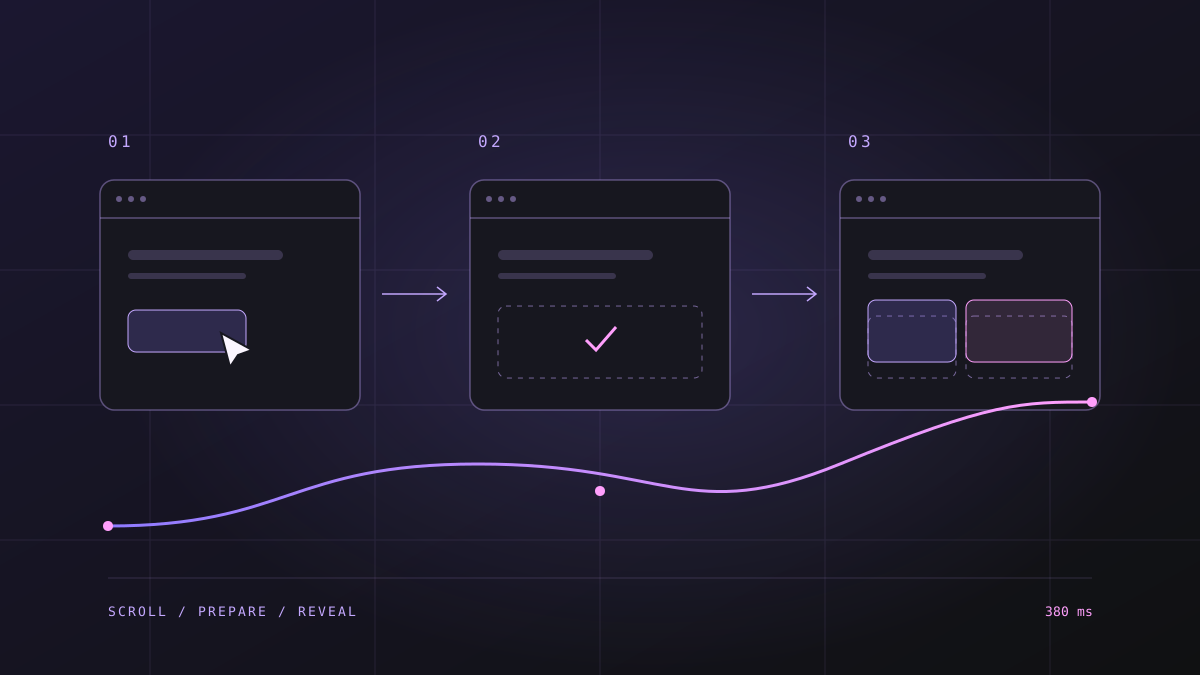
So there's a sanitize step that runs before anything renders:
// pre-init: make the template forget the slider it came from
removeClasses(card, ['slick-active', 'slick-current', 'slick-cloned']);
card.removeAttribute('data-slick-index');
card.style.width = '';
card.style.transform = '';
Then hydration fills it: image, title, price, old price, discount badge, labels. Each field has a selector in config, and a missing selector skips that field quietly. A broken badge is a small bug. A blank widget is a big one.
Config also lets a brand point at the wrong node. Someone would select the carousel's inner stage wrapper instead of the carousel itself, and the clone came out with the wrong class family and the wrong size. I moved that fix into the core: if the selector hits a runtime wrapper, the engine walks up to the real carousel root before extracting anything. One fix, every brand.
Decision 2: support three carousel libraries
The stores we were working with used Slick, Owl or Swiper. I started Slick-only on purpose (the original scope doc literally says the other two are out of scope). That lasted until the first Owl store.
Each library has its own option names and its own idea of what "4 items" means. Owl wants items, Swiper wants slidesPerView, and Owl will happily merge the reference slider's breakpoints into yours unless you stop it. I added normalization so a config can say slidesPerView for Owl, and an explicit responsive map in config fully replaces the one read from the page.
I also cloned the store's own arrows from the reference slider. Custom arrow classes broke my "are the controls there?" check, which only knew the default class names, so the check now looks for cloned arrows too.
And when cloning fails (no reference slider on that page, a template that won't hydrate, an init error), the engine falls back to a native mode with its own card design. Native is the safety net. Clone is the goal.
Decision 3: route scenarios, and plan for empty answers
V1 placed one widget per page. V2 picks a list of scenarios from a matrix: page type (home, category, product, cart, order) crossed with whether the shopper is known (5+ product views) or a guest. Each entry names a backend strategy type, a context (none, category, product or cart) and a limit.
Two details took the most time.
On category pages, the engine reads the breadcrumb and sends the deepest category. If that comes back empty, it retries with the parent, then the grandparent. A tiny subcategory with three products shouldn't leave a hole in the page.
On cart pages, it asks for several strategies per cart item and merges them. The merge de-duplicates products and drops anything already in the cart. Recommending the exact item someone just added is a fast way to look broken.
Brands can also override the matrix with their own placements: a campaign, a selector, an audience. That's how one page ends up with two widgets in two different spots without them fighting over the same root ID.
Decision 4: fix attribution where it actually broke
This one was a plain bug, and a bad one. Orders that came through recommendations showed up at checkout with no campaign and the medium set to "other".
The V2 widget called a global save function to write the source cookies. That function was defined only in the V1 script. On pages where V1 wasn't loaded, the call did nothing, silently.
The fix: V2 sets the cookies itself, and it sets them as soon as the widget loads, before any click. They last 7 days. I also removed a fallback that quietly used the strategy type as the campaign ID, which had been filing data under the wrong campaign. A Playwright test now checks both the activity request and the cookies.
Decision 5: stay quiet on heavy pages
Store pages are already crowded with scripts. The widget shouldn't be the reason a page stutters.
- Non-urgent work (pulling an average color out of product images for the native card's background tint) runs in
requestIdleCallback, with a 350 ms timeout and asetTimeoutfallback. - MutationObservers are debounced, with a cooldown, and ignore changes inside the widget's own roots.
- A render cap limits how many cards get built before the carousel initializes.
- The skeleton has the same geometry as the real card, so the swap doesn't shift the layout. On one category page I had to float it and add a compensator element to get the shift down to zero.
Making it installable by non-engineers
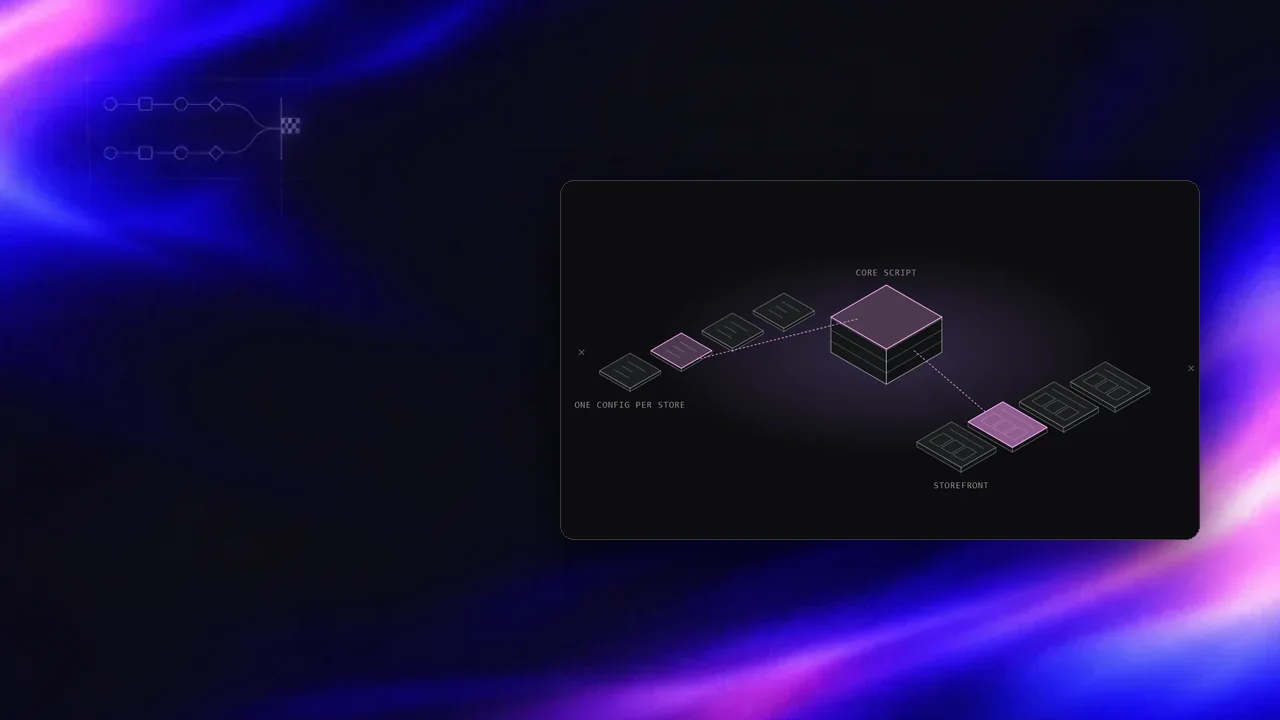
Every brand gets a config file. The engine stays the same. I wrote a config-only setup guide and published it as a small Docsify site: how the API request gets built per page, what each block in the config does, and an FAQ.
The most useful rule in it is short. Keep the working config. Open the brand's file, add only the object you need (a native preset, a category context, a campaign placement), and change the selectors. A junior can do that without breaking a store that already works.
What I'd do differently
The core is one 12k-line file. It got there honestly, one store at a time, but some brand-specific guards (mobile image repaint fixes, overlay de-duping) ended up in it. I'd split it into modules behind a bundler from the start, the way the search widget is built with esbuild.
And I lost hours to CDN edge caching. A fix was live on the origin, but the edge kept serving the old file, so I was debugging code that wasn't running. Cache-busting query params on every config and script URL should have been there from day one.
The widget still has to look like it was always part of the store. That's the whole test.
See the rest of my Revotas work.
- What made it hard
- Decision 1: clone a card, then strip the runtime out of it
- Decision 2: support three carousel libraries
- Decision 3: route scenarios, and plan for empty answers
- Decision 4: fix attribution where it actually broke
- Decision 5: stay quiet on heavy pages
- Making it installable by non-engineers
- What I'd do differently
Notes on this post
Join in
Loading…
Leave a comment.
Sign in to add your note to this post.
Only your name and avatar are used.