Sent is not delivered
Switchyard is a local dashboard for the four coding agents I use every day. It keeps their sessions in one archive, shows them live, lists their schedules, and when an account hits its usage limit it moves the thread to another account. Open source, MIT, and it never leaves 127.0.0.1.
- 8tools read: 4 archived, 4 listed read-only
- 693sessions in one real import, no errors
- 80tests in 17 files
- ~19.8klines, about 15.3k TypeScript
- 0telemetry or remote calls
See a handoff land
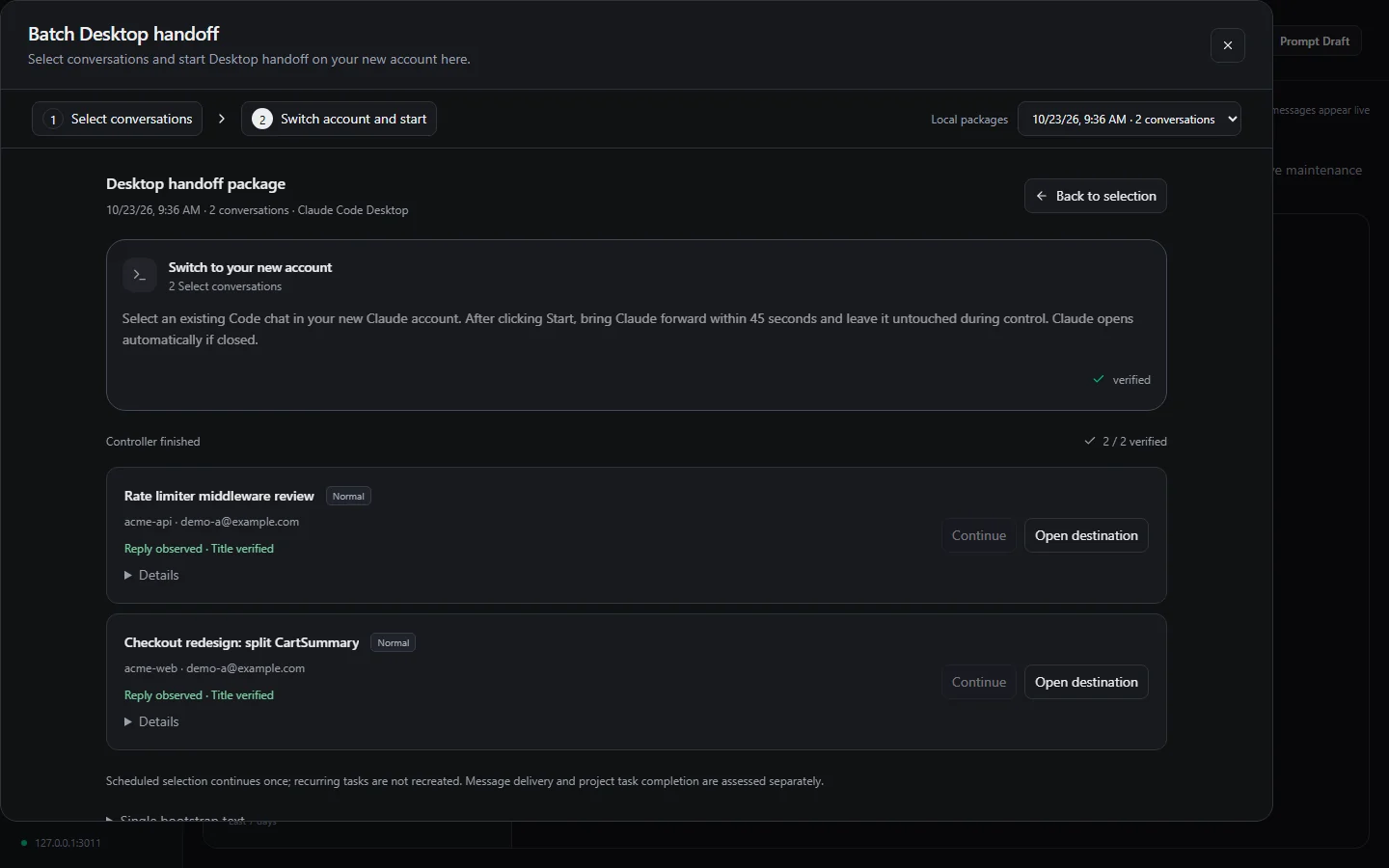
Two chats from a Claude account that hit its limit, delivered to a new account. Each one counts only after a reply shows up in the new chat's own log.
Delivered means it replied
A handoff counts only when the new chat answers. Pasting the prompt is not proof, and neither is pressing send.
When an account hits its limit, Switchyard packages the stuck chat and opens it again on a new Claude Desktop account. The easy signal is "sent". It reports success in exactly the cases that hurt: the new account is limited too, the app shows an error card instead of an answer, or the message lands in the wrong project folder.
So every item in a package carries a unique marker. The controller reads the tool's own session log on disk, waits for the marker, then waits for a real assistant reply after it: a finished turn, not an API error and not a synthetic message. The working directory has to match and the chat title has to read back exactly. Only then does the item move to reply-observed.
function deliveryEvidence(records, marker) {
  let sent = null, reply = null, error = null;
  for (const record of records) {
    const text = textOf(record);
    if (record.type === 'user' && text.includes(marker)) sent = record;
    if (!sent || record.type !== 'assistant') continue;
    if (record.timestamp < sent.timestamp) continue;
    if (record.isApiErrorMessage || record.message?.model === '<synthetic>') {
      error = text;
    } else if (text.trim() && record.message?.stop_reason === 'end_turn') {
      reply = record;
      error = null;
    }
  }
  return { sent, reply, error };
}
The other half is what happens when the controller is not sure. If the helper times out after the prompt may already be in, the item becomes uncertain, and an uncertain item is never sent again automatically. A second copy of the same chat on the new account is worse than a stopped batch, so the batch stops and waits for me.
The schedules view uses the same rule. Each Claude run is joined with the last real reply in its transcript, so a run that reported success but left no reply shows up as a run that may have done nothing.
What it does
- Archive
- Imports Codex, Claude Code, OpenCode and Antigravity sessions into one SQLite file that survives tool updates and cleanup. VS Code, VS Code Insiders, Cursor and Kiro chats are listed read-only.
- Live
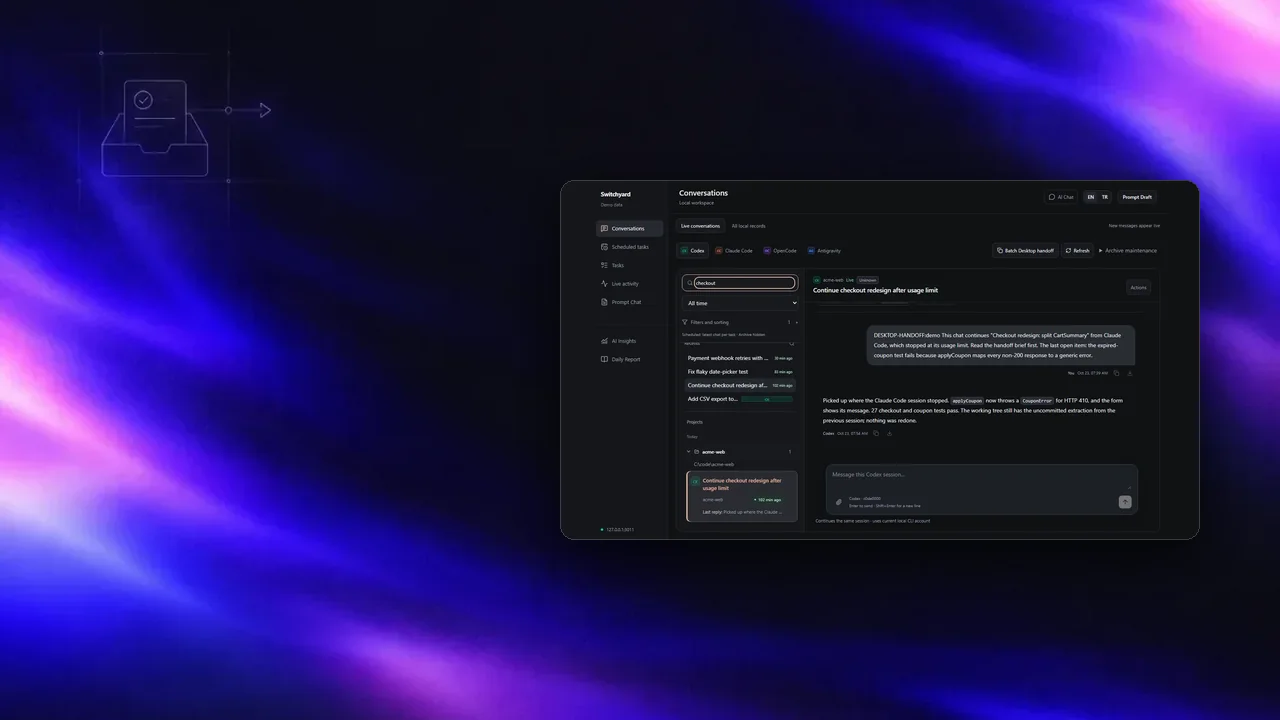
- Server-sent events over file watching show new messages as the tools write them. A reply box resumes the native session through the tool's own CLI.
- Schedules
- Codex automations, Claude Desktop scheduled tasks and Antigravity schedules in one list, with run history checked against each transcript.
- Package
- A Markdown brief (turns, touched files, open tasks, git state), a redacted transcript, the byte-exact native session file and the project's instruction files. Every file is SHA-256 hashed and written atomically.
- Delivery
- To a new Claude Desktop account on Windows, behind a global UI lock and a per-package lock. The target account must differ from the source, read from local Desktop metadata. A small UI Automation helper drives the app.
- Accounts
- Account migration copies Claude Desktop scheduled tasks to the new account. Skills are synced to every Claude account on the machine.
Run it yourself
- Requires
- Node.js 22.13 or later (it uses the built-in
node:sqlite), npm and Git. - Demo
npm ci, thennpm run demo, then openhttp://127.0.0.1:3011. It generates a synthetic home folder and reads nothing real.- Real mode
npm run buildandnpm start. Native files are opened read-only. It writes to them only when a button says so, and backs the file up first.- Stack
- Next.js 15 and React 19 on 127.0.0.1, 53 React components, 21 API routes, no telemetry.
- Built
- With Claude Code and Codex under my direction. I owned the architecture, the decisions, the review and the verification.
Limits
- Desktop delivery works on Windows with Claude Desktop only. On macOS the archive, packages and snapshots work; GUI delivery is off.
- Codex as the receiving side gets written instructions only. Switchyard does not drive the Codex UI.
- The controller drives another app's interface. An app update that changes the window can break it until the helper is adjusted; it then stops instead of guessing.
- The Windows controller is verified by one pilot on a real new account and by tests with a fake adapter, not by a long run across many accounts.
- A handoff is a summary plus evidence, not model state. Hidden reasoning, running processes and remote-only history do not move.
- It reads the tools' private on-disk formats, which change without notice. Parsers are versioned and re-import when they change.
Notes on this post
Join in
Leave a comment.
Sign in to add your note to this post.
Only your name and avatar are used.