On-site widgets
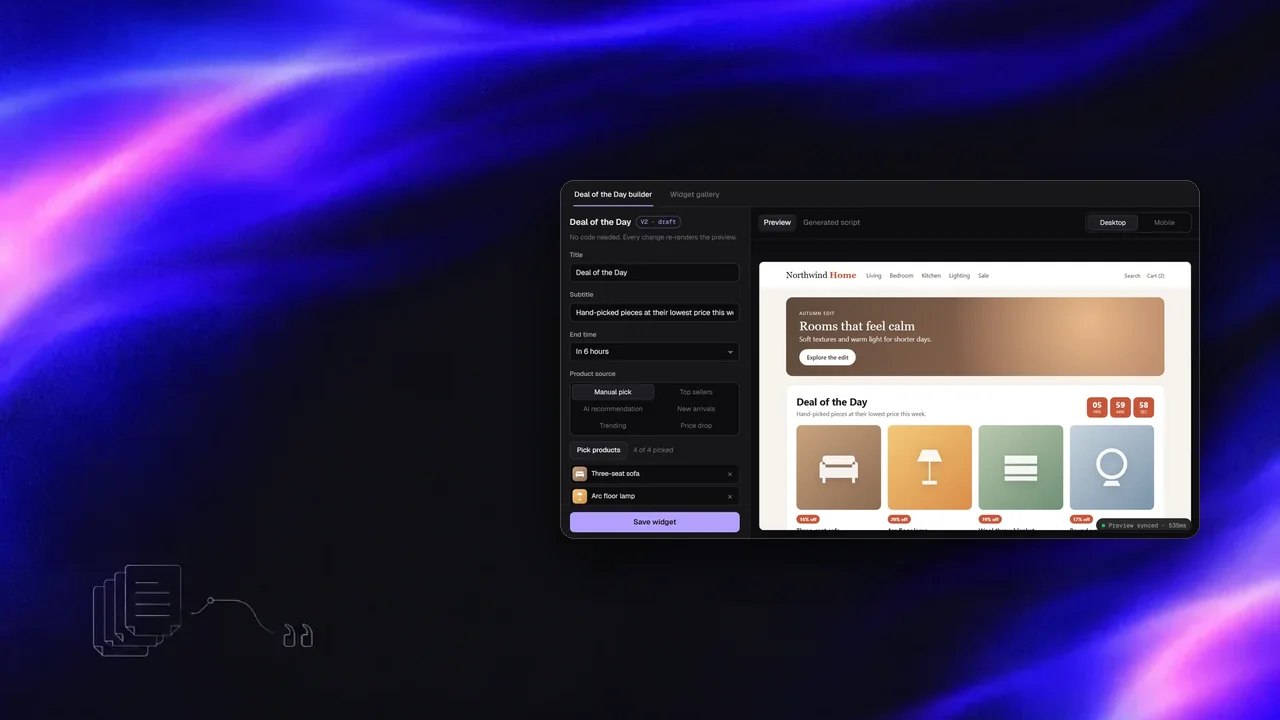
Conversion widgets that marketers set up without code. I built the daily deal widget from scratch: a builder that turns the marketer's settings into a self-contained storefront script, with a live preview that updates as they type. I also worked across the rest of the widget suite in the team's panel.
- 847commits to the team panel
- 6product sources
- 4products per deal, max
- 0backend or schema changes
Build a deal and watch the preview
Change the source, layout or colour and the preview re-renders through postMessage. Open "Generated script" to see what gets saved.
Problem
Marketers wanted a daily deal block they could change themselves, with products picked by hand or filled automatically.
The first version was limited, and every new layout or source meant a developer. Any new version also had to run on storefronts with no build step and no shared runtime, and ship without database changes.
My role
I created the daily deal widget end to end: the builder UI, the compiler that produces the widget script, the iframe preview and the storefront runtime. In the same panel I worked on social proof, countdown, drawer, spin wheel, sticky, upsell and exit-intent widgets that colleagues started, and rebuilt the on-site widget dashboard to match the new design.
From form to storefront
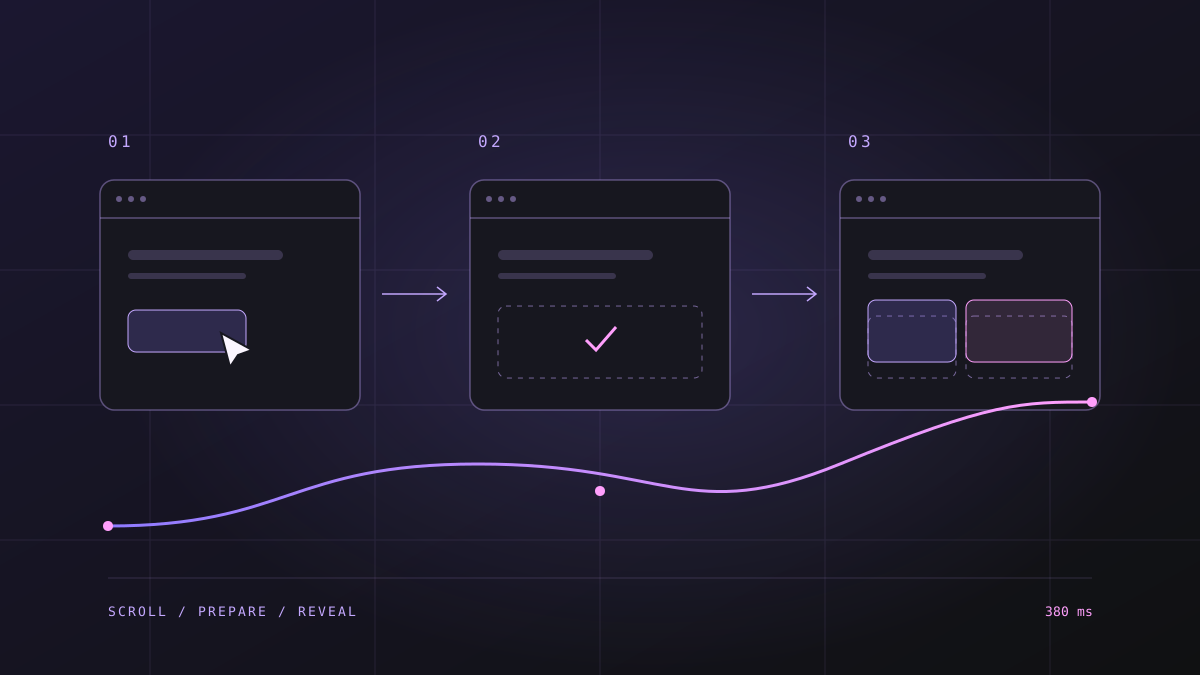
- Builder stateTitle, timer, layout, colours and up to four products, from a picker or an automatic source.
- CompileState becomes one vanilla JS widget with its config embedded.
- PreviewAn iframe receives each change over postMessage and re-renders.
- SaveThe script is stored in the existing widget record as text.
- StorefrontThe existing loader injects it on the brand's pages.
Violet tint: parts I wrote. Saving and loading reuse the existing widget pipeline.
What was hard and what I did
Compile, don't interpret
Instead of a generic runtime reading settings from an API, the builder emits a self-contained script with its config inside. Storefronts load one file, and the existing save and load pipeline did not need a new table or field.
Preview that matches production
The preview runs the same generated code in an iframe, so marketers see what shoppers will see. Updates go over postMessage, debounced, and the parent only accepts messages from its own iframe.
Automatic product sources
Besides manual picks, a deal can fill itself from top sellers, recommendations, new arrivals, trending or price drops, so the block stays fresh without daily edits.
Working in a shared codebase
The panel has many contributors and a long history. I kept changes scoped, followed the branch and review rules, and fixed production issues like a spin wheel hotfix without disturbing other widgets.
Notes on this post
Join in
Loading…
Leave a comment.
Sign in to add your note to this post.
Only your name and avatar are used.